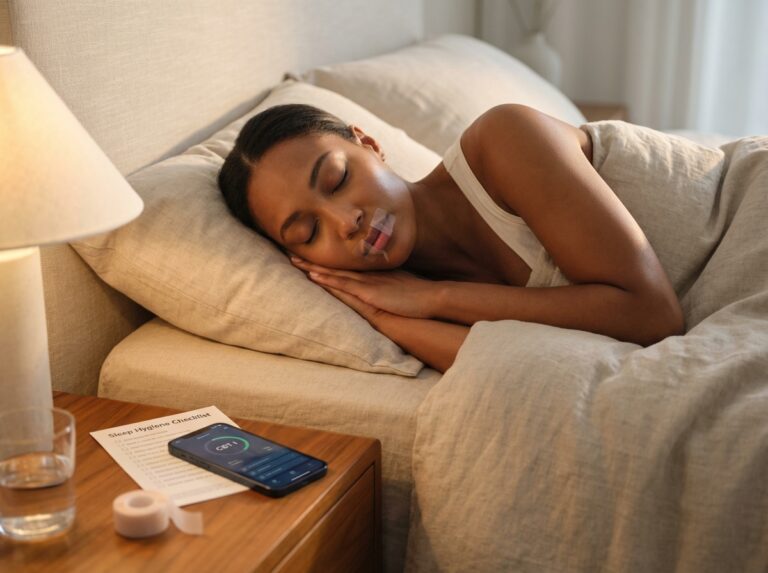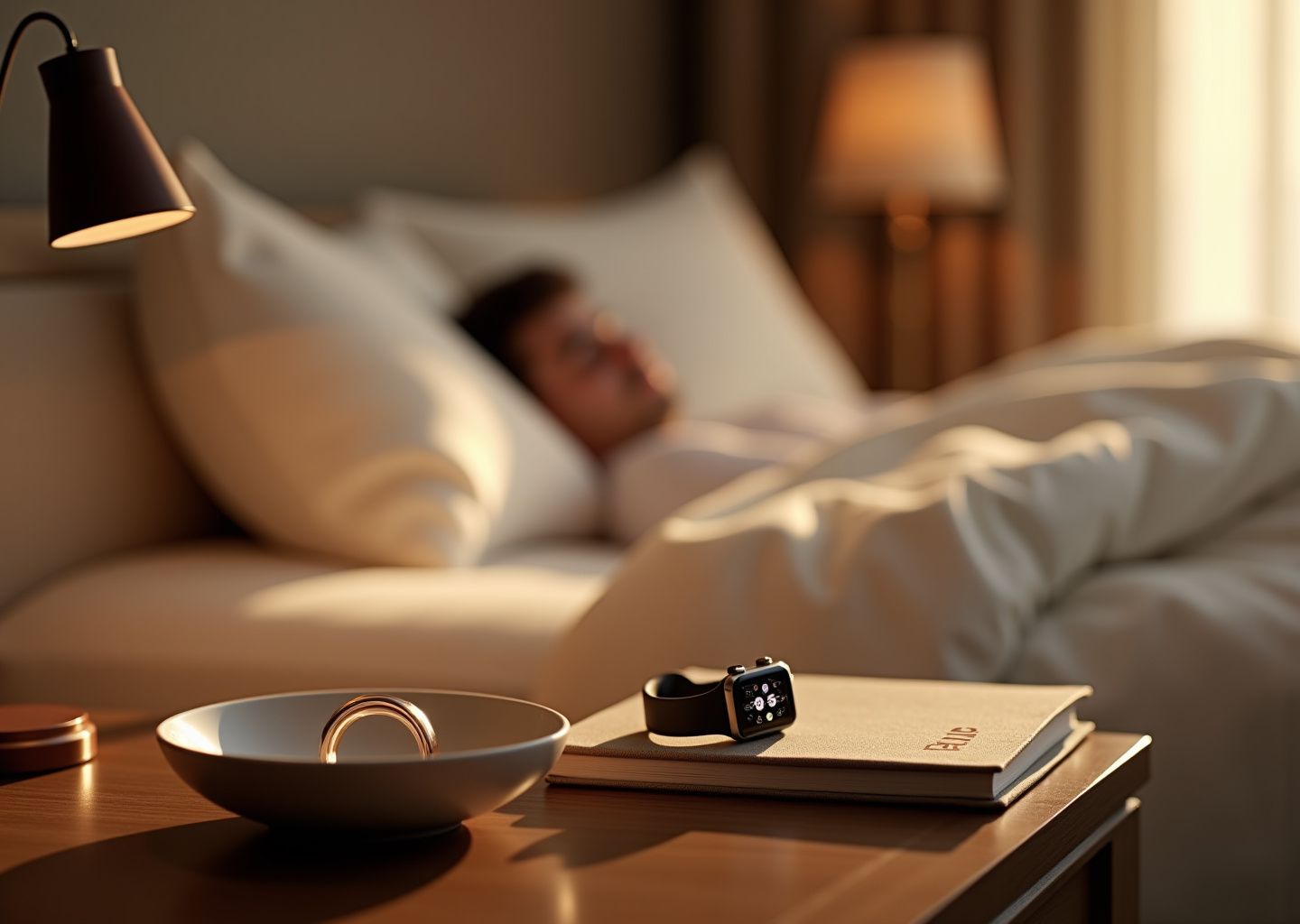
Struggling with insomnia? This article reviews three leading sleep trackers—Oura, Apple Watch, and Whoop—and shows how to use their data alongside CBT-I techniques, bedtime routines, and lifestyle changes to fall asleep faster, stay asleep, and wake up refreshed. Learn strengths, limitations, and concrete steps to turn tracker insights into real sleep improvements.
How sleep trackers measure insomnia metrics
Most people assume their wearable knows exactly when they fall asleep because it’s monitoring their brain waves. That is not what is happening. Your tracker is making an educated guess based on movement and heart rate. Understanding how these devices actually gather data helps you interpret the numbers without panicking when you see a “bad” sleep score.
The Sensors Behind the Data
Consumer trackers rely on three main inputs to estimate what your body is doing.
Accelerometry and Motion Detection
Every tracker, from the Oura Ring 4 to the Apple Watch Series 11, uses a 3-axis accelerometer. This sensor detects movement in three-dimensional space. In the early days of sleep tracking, this was the only metric used—if you stopped moving for a specific threshold, the device assumed you were asleep. This method, called actigraphy, is about 90% accurate for simply detecting sleep versus wakefulness, but it struggles to identify specific sleep stages or distinguish between sleeping and lying perfectly still.
Photoplethysmography (PPG) and Heart Rate
This is the green, red, and infrared light flickering against your skin. PPG sensors measure blood volume changes to determine your heart rate and heart rate variability (HRV). As you transition from light sleep to deep sleep, your heart rate typically drops and stabilizes. When you enter REM sleep, your heart rate becomes more variable. Whoop 5.0 increased its sampling rate to significantly higher frequencies to capture these shifts with more precision, while also introducing skin conductance sensors to measure electrodermal activity (stress).
Temperature and SpO2
Skin temperature sensors track deviations from your baseline. Your body temperature naturally drops at night to facilitate sleep. A deviation here can indicate illness, a hot room, or hormonal shifts. Oura has emphasized this with sensors capable of detecting changes as small as 0.1°C. SpO2 sensors measure blood oxygen levels using red and infrared light. While useful for flagging potential breathing issues like sleep apnea, these sensors can be finicky if the device isn’t strapped tight enough.
Critical Metrics for Insomnia Management
When you open your app, you are bombarded with numbers. If you are using CBT-I (Cognitive Behavioral Therapy for Insomnia) or just trying to fix your schedule, only a few of these metrics truly matter.
Total Sleep Time (TST)
This is the total duration you are actually asleep, not just in bed. For insomnia patients, this is the anchor metric. However, be aware that trackers can have an error margin of roughly 30 minutes compared to medical-grade polysomnography (PSG). If your tracker says you slept 6 hours and 15 minutes, treat it as an estimate, not an absolute truth.
Sleep Onset Latency (SOL)
SOL measures how long it takes you to fall asleep after you get into bed. This is a crucial metric for sleep-onset insomnia. A healthy latency is generally under 20 minutes. If you see this number consistently exceeding 30 minutes, it is a primary target for behavioral restriction. Current validation studies show trackers are about 88-92% accurate here, though they sometimes mistake lying perfectly still for being asleep.
Wake After Sleep Onset (WASO)
This tracks the time you spend awake after initially falling asleep. This is the defining metric for sleep-maintenance insomnia. High WASO numbers fragment your sleep architecture and leave you feeling unrefreshed. Whoop tends to underestimate this slightly, while the Apple Watch Series 11 has improved its detection of these micro-awakenings.
Sleep Efficiency
This is a simple calculation: (Total Sleep Time / Time in Bed) x 100. A score above 85% is considered healthy. In CBT-I, we use this percentage to determine if we need to restrict or extend your time in bed. If your efficiency is below 80%, you are spending too much time awake in bed, which reinforces the psychological link between the bed and frustration.
Understanding Sleep Stages
Trackers divide your night into Light, Deep (Slow Wave), and REM sleep.
Deep Sleep
This is the physically restorative stage where the body repairs tissue and strengthens the immune system. It usually happens in the first half of the night. It is important to note that consumer trackers often overestimate deep sleep by 10-20% compared to lab equipment. Do not obsess over getting a “perfect” deep sleep score; your body naturally regulates this pressure.
REM Sleep
Rapid Eye Movement sleep is essential for emotional regulation and memory processing. It dominates the second half of the night. If you cut your sleep short by waking up early with an alarm, you are mostly cutting out REM.
Light Sleep
This makes up about 50-60% of your night. It is not “junk” sleep; it is the transition state that allows you to get to the other stages.
Recovery Metrics: HRV and RHR
Beyond just “sleep,” these two metrics indicate how your nervous system is handling stress.
Resting Heart Rate (RHR)
Your lowest heart rate during the night. A lower RHR generally indicates better recovery. Alcohol, a late meal, or high room temperature will almost immediately spike this number.
Heart Rate Variability (HRV)
HRV measures the variation in time between heartbeats. Unlike heart rate, higher is generally better here. It indicates your autonomic nervous system is balanced and ready to adapt to stress. In chronic insomnia, HRV often drops by around 20%, reflecting a state of hyperarousal. Apple Watch Series 10 and 11 show a high correlation of 0.85 with clinical ECGs for this metric.
Accuracy and Real-World Limitations
It is late 2025, and while the algorithms have improved, they are not perfect. The Oura Ring 4 and Apple Watch Series 11 have moved closer to clinical standards, but environmental factors still mess up the data.
If your bedroom is hotter than 75°F, tracker accuracy for sleep staging drops by about 10% because your body’s thermal regulation signals get confused. Wrist placement matters immensely. A loose band on an Apple Watch or Whoop can drop heart rate accuracy by 5-10%, which throws off the entire sleep stage algorithm.
We also see a “data vs. feel” mismatch in about 30% of nights. You might feel terrible but get a good score, or feel great and get a bad score. This often happens because trackers cannot measure the *intensity* of sleep, only the physiological correlates.
Best Wearables for Sleep in 2025: Scientific Rankings provide a visual breakdown of how these devices stack up against lab equipment. While no device is perfect, they are consistent enough to track trends. The goal is not to match a sleep lab every single night, but to see the direction your sleep is moving over weeks and months.
Head to head comparison Oura Apple Watch Whoop
We just covered the metrics that matter. Now we need to look at the hardware that captures them. Choosing a tracker is personal. It depends on your budget, your tolerance for wearing things at night, and how much data you actually want to see. As of late 2025, the market is dominated by three main players: the Oura Ring 4, the Apple Watch Series 11, and the Whoop 5.0 band. Each has a different philosophy on how to track your recovery.
Form Factor and Wearability
The Oura Ring 4
This device is the most discreet option. It weighs between 4 to 6 grams. You wear it on your finger, so it feels less like a gadget and more like jewelry. For people with sensory issues or those who find wristbands irritating at night, this is often the best choice. The Gen 4 update (released late 2024) improved the sensors to adapt to different finger shapes. It tracks heart rate, HRV, and skin temperature with high precision. The lack of a screen is a benefit for insomnia sufferers. You cannot doom-scroll or check the time on it at 3 AM.
Whoop 5.0
Whoop is a fabric strap with a sensor pod. It has no screen at all. This is a deliberate design choice to keep you focused on the data in the app rather than the device itself. It weighs about 28 grams. You can wear it on your wrist, bicep, or even in specialized underwear. The “Any-Wear” system is excellent if you hate having something on your wrist while you sleep. Like Oura, the absence of a display prevents light pollution in your bedroom.
Apple Watch Series 11
This is a smartwatch first and a sleep tracker second. It is the heaviest at 42 grams. It has a bright screen, though “Sleep Mode” turns it off. The Series 11 is thinner than previous models, but it is still a bulky object to have on your wrist under a pillow. If you already wear one during the day, it is convenient. However, the notifications and temptation to use apps can be counterproductive for sleep hygiene.
Accuracy and Algorithms
We need to trust the numbers if we are going to base behavioral changes on them. Independent validation studies from 2024 and 2025 give us a clear picture of how these devices stack up against Polysomnography (PSG), the clinical gold standard.
| Metric | Oura Ring 4 | Whoop 5.0 | Apple Watch S11 |
|---|---|---|---|
| Sleep Onset (SOL) Accuracy | 92% | 90% | 88% |
| Wake Detection (WASO) | 82% | 85% | 78% |
| Deep Sleep Agreement (vs PSG) | 85% | 85% | 75% |
| REM Sleep Agreement (vs PSG) | 80% | 79% | 78% |
| HRV Correlation (vs ECG) | 0.88 | 0.87 | 0.85 |
Sleep Staging Accuracy
Oura historically led the pack here. The Oura Ring 4 achieves about 85% agreement with PSG for deep sleep and 87% for light sleep. Whoop 5.0 has caught up significantly. It now matches Oura with 85% accuracy for deep sleep detection. Apple Watch Series 11 trails slightly in deep sleep estimation at 75%, but it is very good at detecting total sleep duration. Best Wearables for Sleep in 2025: Scientific Rankings suggest that for pure sleep staging, Oura and Whoop are currently superior to Apple.
Wake Detection (WASO)
This metric is critical for sleep maintenance insomnia. You need to know exactly how long you were awake in the middle of the night. Whoop 5.0 is the most sensitive here, with 85% accuracy against PSG. Oura follows at 82%. Apple Watch tends to miss brief awakenings, with only 78% accuracy. If your main struggle is staying asleep, Whoop might give you the most honest data.
Heart Rate and HRV
All three devices are excellent at tracking heart rate. They correlate 0.85 to 0.90 with medical-grade ECGs for Heart Rate Variability (HRV). Whoop 5.0 samples heart rate 26 times per second, which is overkill for sleep but great for athletes. Oura measures every 5 minutes during the day and continuously at night.
Battery Life and Charging
The Charging Routine
This is where the user experience diverges sharply. The Oura Ring 4 lasts 7 to 8 days on a single charge. You can charge it while you shower. Whoop 5.0 is the winner for 24/7 wear. It lasts 10 to 12 days, and you charge it by sliding a battery pack onto the strap while you are wearing it. You never have to take it off. Apple Watch Series 11 still requires a daily charging ritual. It lasts 18 to 36 hours. You will likely need to charge it before bed or while getting ready in the morning. Forgetting to charge it means losing a night of data.
Ecosystem and Pricing
Cost is a major factor because some devices require a forever subscription to see your data.
| Device | Hardware Cost | Subscription | Total 1st Year |
|---|---|---|---|
| Apple Watch S11 | $399 | $0 | $399 |
| Whoop 5.0 | $239 | $239/yr (bundled) | $239 |
| Oura Ring 4 | $349–$499 | $5.99/mo ($72/yr) | $421–$571 |
Subscription Models
Apple is the most cost-effective long-term option. You pay once. There is no monthly fee to see your sleep stages or HRV. Whoop is a subscription service. If you stop paying, the device becomes a useless fabric strap. Oura charges a premium for the hardware and requires a monthly fee for full data access. Apple Watch is Better than Whoop and Oura for users who want to avoid recurring costs.
Privacy and Data Security
Sleep data is intimate. Apple processes sleep data on-device and encrypts it in iCloud. They do not sell your health data. Whoop and Oura store data on their cloud servers. Both companies state they do not sell personal data, but cloud storage always carries a theoretical risk compared to local processing.
Which One Suits Your Insomnia Profile?
For Anxiety-Induced Insomnia
The Oura Ring is often the best choice. It is unobtrusive. The lack of a screen prevents clock-watching. The “Readiness” score focuses on how well you rested rather than punishing you for a bad night. It feels less like a medical device and more like a gentle monitor.
For Chronic Sleep Maintenance Issues
Whoop 5.0 is powerful here. Its superior wake detection helps you understand exactly when and how long you are awake. The journal feature allows you to tag behaviors (like late meals or alcohol) to see how they impact your sleep continuity. The focus on “Recovery” helps you adjust your daily strain based on how you slept.
For General Health and Convenience
The Apple Watch is sufficient for most people. If you already own an iPhone, the integration is seamless. The sleep stage tracking is good enough to spot trends. It also offers FDA-cleared features like AFib detection and sleep apnea notifications, which the others lack or implement differently. Whoop vs Apple Watch: Best Fitness Tracker in 2025? highlights that while Whoop is better for pure recovery metrics, Apple wins on general utility.
Using CBT-I with tracker data to change behavior
Having a high-tech sensor on your wrist or finger doesn’t fix insomnia by itself. It just documents the struggle. To actually improve your sleep, you need to pair that data with a proven framework. Cognitive Behavioral Therapy for Insomnia (CBT-I) is the gold standard treatment for chronic sleep issues, far outperforming medication in the long run.
While CBT-I is traditionally done with a therapist, your tracker—whether it is an Oura Ring 4, Apple Watch Series 11, or Whoop 5.0—can act as an objective tool to implement these techniques at home. The goal is to move from obsessing over a “bad” sleep score to using the numbers to retrain your brain.
Core Components of CBT-I
CBT-I is not just about relaxing. It is a structured program that targets the thoughts and behaviors keeping you awake. It generally consists of five pillars.
Sleep Restriction Therapy
This sounds counterintuitive, but it is the most effective part. You limit the time spent in bed to match the time you actually sleep. This builds “sleep pressure,” making you tired enough to fall asleep quickly and stay asleep.
Stimulus Control
This breaks the association between your bed and being awake, frustrated, or anxious. The rule is simple: the bed is only for sleep and sex. If you are awake, you get out.
Cognitive Restructuring
This involves challenging the panic-inducing thoughts like “If I don’t sleep now, I will fail at work tomorrow.” You replace these with realistic thoughts based on evidence.
Relaxation Training
Techniques to lower physiological arousal—heart rate and muscle tension—before bed.
Sleep Hygiene
Lifestyle adjustments regarding light, temperature, and substances. We will cover the specific lifestyle protocols in the next section, but here we focus on the behavioral changes.
Using Tracker Data for Sleep Restriction
Sleep restriction is where your tracker provides the most value. People with insomnia often spend 9 or 10 hours in bed trying to catch 6 hours of sleep. This fragments your rest.
To set your initial sleep window, look at your Total Sleep Time (TST) average from the last 7 to 14 days. Do not look at “Time in Bed.”
If your Oura or Whoop data shows you average 5 hours and 30 minutes of actual sleep, your new time in bed is exactly 5 hours and 30 minutes (never go below 5 hours for safety). You might set your bedtime for 12:30 AM and your wake time for 6:00 AM. You must stick to this wake time every single day, regardless of how much you slept.
Tracking Sleep Efficiency
Your progress metric is Sleep Efficiency (SE). This is calculated as (Total Sleep Time / Time in Bed) × 100. Most trackers, including the Best Sleep Trackers of 2025: Data That Matters, calculate this automatically.
If your weekly average SE is above 90%, you add 15 minutes to your sleep window. If it is between 85-90%, you stay the same. If it is below 85%, you reduce the window by 15 minutes. This method slowly expands your sleep time while keeping it consolidated.
Applying Stimulus Control with Wake Detection
One of the hardest parts of stimulus control is knowing when 20 minutes have passed without clock-watching, which induces anxiety.
Use your tracker’s Wake After Sleep Onset (WASO) data to learn your patterns. If you wake up in the middle of the night, give yourself a mental check. If you feel awake and frustrated, get up immediately. Do not wait for a specific time.
However, you can use the tracker retrospectively. If you thought you were awake for an hour, but your Apple Watch Series 11 shows you were in light sleep or only awake for 10 minutes, this is “paradoxical insomnia.” You can use this data for Cognitive Restructuring. It proves you are getting more rest than you think, which lowers the anxiety that fuels the insomnia.
Leveraging HRV for Relaxation
Heart Rate Variability (HRV) is a great biofeedback tool for the relaxation component of CBT-I. A higher HRV generally indicates a more relaxed, recovered nervous system.
The Wind-Down Test
Check your HRV or resting heart rate trends during your evening routine. If you try a breathing exercise and see your stress metrics drop (or HRV rise) on your Whoop or Oura the next morning, keep doing it. If scrolling your phone causes a spike in resting heart rate or a drop in HRV, that is your objective proof to stop.
Common Pitfalls: Orthosomnia and Anxiety
Data is useful, but it can also be a trap. “Orthosomnia” is a condition where the pursuit of perfect sleep data actually ruins your sleep.
The Anxiety Loop
About 15% of users report that seeing a low “readiness” or “sleep score” makes them feel worse than they actually are. This creates a nocebo effect. If checking your data first thing in the morning spikes your heart rate or ruins your mood, change how you use the device. Try checking the data only once a week during a scheduled review rather than every morning.
The Single-Night Trap
Do not adjust your behavior based on one night’s score. Sleep varies naturally. Only make changes to your sleep window based on weekly averages. A single bad “Sleep Score” on Oura or a low “Recovery” on Whoop does not mean you are doomed for the day.
Misinterpreting Stages
Even in late 2025, trackers are estimates. They can mistake lying very still for sleep, or restless sleep for being awake. Do not panic if your device says you got zero deep sleep. If you feel okay, you likely got enough.
A 2-8 Week CBT-I Tracker Plan
You can structure your own program using this template.
| Phase | Duration | Action Steps | Tracker Metric Focus |
|---|---|---|---|
| Baseline | Weeks 1-2 | Sleep as usual. Do not change habits yet. simply collect data to establish averages. | 7-day avg Total Sleep Time (TST) |
| Restriction | Weeks 3-5 | Set sleep window = Avg TST. Strict wake-up time. Get out of bed if awake >20 mins. | Sleep Efficiency (SE) > 85% |
| Titration | Weeks 6-8 | If SE > 90% for a week, add 15 mins to bedtime. If SE < 85%, reduce 15 mins. | Sleep Efficiency & TST trends |
| Maintenance | Ongoing | Keep wake time consistent. Monitor trends, not daily scores. | Sleep Consistency & HRV |
When to Consult a Specialist
While trackers are powerful, they are not doctors. If you follow this protocol for 4-8 weeks and see no improvement, or if your tracker consistently shows low oxygen saturation (SpO2) or high respiratory rates, you need to see a sleep specialist.
The 3-3-3 Rule
If your data confirms you are getting less than 5 hours of total sleep time, three or more nights a week, for more than three months, you meet the clinical definition of chronic insomnia. Additionally, if you see large gaps of “awake” time in the middle of the night (WASO) exceeding 60 minutes regularly, professional intervention is recommended.
The Apple Watch Series 11 and recent Oura updates can flag signs of sleep apnea, a physical condition that CBT-I cannot fix. If your device alerts you to breathing disturbances, print that report and take it to a doctor immediately.
Using data to guide behavior is effective, but it requires looking at the trends, not the daily drama of a score. Once you have established these behavioral boundaries, you can start optimizing your environment and habits, which we will cover next.
Practical bedtime routines and lifestyle changes informed by trackers
You have established your sleep window and learned how to handle being awake in bed. Now we need to look at the other sixteen hours of your day. The behaviors you engage in from the moment you wake up dictate the quality of your sleep at night. Your tracker is no longer just a passive observer. It becomes a tool to validate which lifestyle changes actually work for your specific biology.
Optimizing Light Exposure for Circadian Alignment
Light is the strongest signal for your internal clock. Most people with insomnia have a circadian rhythm that is out of sync or weak. You need to anchor it.
Morning Bright Light Protocol
Get outside within thirty minutes of waking up. You need exposure to at least 10,000 lux of light for about thirty minutes. Indoor lighting is rarely sufficient as it usually clocks in under 500 lux. If you cannot get outside, use a specialized light therapy lamp. This suppresses melatonin and signals your body to be alert.
Tracker Validation: Monitor your Sleep Onset Latency (SOL). Consistent morning light exposure often reduces the time it takes to fall asleep by roughly fifteen minutes after two weeks of practice. You should also see your wake-up time become more consistent naturally.
Evening Dim Light Strategy
Bright light in the evening suppresses melatonin production. Start dimming lights two hours before your target bedtime. Avoid blue light from screens or use strong filters.
Tracker Validation: Watch your Deep Sleep percentage. Exposure to blue light late at night can reduce deep sleep duration. If you implement a strict “no screens” rule one hour before bed, look for a 10% to 15% increase in deep sleep or REM stages over a ten-day period.
Managing Caffeine and Alcohol Intake
What you consume has a direct half-life that interferes with sleep pressure. Your tracker will ruthlessly show you the cost of a late coffee or a nightcap.
The 2 PM Caffeine Cutoff
Caffeine blocks adenosine receptors which prevents you from feeling sleepy. Even if you can fall asleep after coffee, the quality of that sleep suffers. Stop all caffeine intake at least eight hours before bed. For most people this means a hard stop at 2 PM.
Tracker Validation: Check your Sleep Efficiency and Restlessness. Late caffeine often causes micro-awakenings that you might not remember but your tracker will record. You are looking for a smoother hypnogram with fewer fragmentation spikes.
The Alcohol Misconception
Alcohol is a sedative and not a sleep aid. It might help you lose consciousness faster, but it destroys sleep architecture. It causes a rebound effect as it metabolizes which wakes you up in the second half of the night.
Tracker Validation: This is often the most shocking data for users. Look at your Resting Heart Rate (RHR) and Heart Rate Variability (HRV). Alcohol consumed within four hours of bed will keep your RHR elevated throughout the night and crash your HRV. Your goal is to see your RHR drop to its lowest point during the first half of the night.
Exercise Timing and Body Temperature
Physical exertion builds sleep drive, but timing is critical. High-intensity workouts raise cortisol and body temperature.
Workout Scheduling
Finish heavy exercise at least four hours before bed. This allows your core body temperature to drop, which is a necessary physiological trigger for sleep onset. If you must move late in the day, stick to light stretching or yoga.
Tracker Validation: Monitor your body temperature deviation if you use an Oura Ring or Apple Watch Series 8 and later. You want to see a temperature drop consistent with your sleep onset. Also, check your Sleep Onset Latency. If you exercise too late, you will likely see SOL increase.
The Digital Wind-Down and Relaxation
You cannot go from sixty miles an hour to zero instantly. Your brain needs a buffer zone to transition into sleep mode. This is where you actively lower your physiological arousal.
Sample 60-Minute Wind-Down Routine
Split the hour before bed into three twenty-minute blocks.
- First 20 Minutes: Finish all “must-do” tasks. Pack your bag for tomorrow, brush your teeth, and put on pajamas. This closes the loop on the day.
- Second 20 Minutes: Disconnect. Put the phone in another room. Engage in a passive activity like reading a physical book or listening to calm music.
- Third 20 Minutes: Active relaxation. This is where you use specific techniques to lower your heart rate.
Specific Relaxation Techniques
Use Progressive Muscle Relaxation (PMR) or 4-7-8 breathing. PMR involves tensing and releasing muscle groups to release physical tension. 4-7-8 breathing (inhale for 4, hold for 7, exhale for 8) activates the parasympathetic nervous system.
Tracker Validation: Use the “momentary” or “live” heart rate feature on your device. Your goal is to see your heart rate drop by roughly 5 beats per minute during this twenty-minute session. Long-term, you should see an upward trend in your nightly HRV average.
Iterative Testing and Measurable Goals
Do not try to change everything at once. Pick one variable to adjust and track it for seven days. Consistency is more important than intensity.
Measurable Goals for the Next 4 Weeks
- Goal 1: Reduce Sleep Onset Latency (SOL) to under 20 minutes. Strategy: Morning light and evening screen curfew.
- Goal 2: Reduce Wake After Sleep Onset (WASO) by 15 minutes. Strategy: Alcohol restriction and temperature optimization (keep bedroom between 60-67°F).
- Goal 3: Increase Sleep Efficiency to >85%. Strategy: Strict sleep window adherence from the previous chapter combined with the 2 PM caffeine cutoff.
Best Wearables for Sleep in 2025: Scientific Rankings can help you understand which metrics on your specific device are most reliable for tracking these changes. For instance, Oura and Whoop are generally excellent at tracking HRV trends, while the Apple Watch is strong on heart rate accuracy.
Use the data to stay curious rather than critical. If you have a bad night, look at the previous day’s variables. Did you drink late? Did you skip morning light? Adjust and try again. The tracker provides the evidence you need to prove to your brain that these lifestyle changes are actually making a difference.
Final takeaways and next steps
We have looked at the hardware, the software, and the science. You now know that a wearable device is not a magic pill that fixes insomnia overnight. It is a mirror. It reflects your habits back to you. The goal of this final chapter is to turn that reflection into action. We need to move from staring at data to making changes that actually improve your rest.
The Verdict on the Devices
Choosing between Oura, Apple Watch, and Whoop comes down to what you value most in your daily life.
Oura Ring 4 stands out as the most comfortable option for pure sleep tracking. The form factor is its biggest strength. You can wear it to bed without noticing it. The data from late 2025 shows it has the highest agreement with medical-grade sleep staging among consumer devices. It is the right choice if you want “set it and forget it” tracking. The temperature sensing is also highly sensitive for predicting illness days in advance. The downside is the subscription cost required to see your data.
Whoop 5.0 is the best tool for understanding the relationship between daily strain and nightly recovery. It does not have a screen. This is a massive benefit for insomniacs who get anxious checking the time or notifications at night. The coaching features are excellent for athletes or anyone trying to optimize physical performance alongside sleep. It requires a commitment to a subscription. The battery life is impressive at over a week.
Apple Watch Series 11 is the most versatile choice. It is a smartwatch first and a sleep tracker second. The sleep tracking has improved significantly with watchOS 12. It now correlates well with Oura for total sleep time. It does not require a monthly subscription for the data. The main drawback is battery life. You must find time to charge it daily. If you already live in the Apple ecosystem, this is the most logical starting point.
Apple Watch is Better than Whoop and Oura – Yury Molodtsov argues that for many users, the convenience of the Watch outweighs the specialized features of the others.
Realistic Expectations for Accuracy
You must understand the limitations of these devices before you base your health decisions on them. No tracker is perfect.
Sleep Stages Are Estimates
Consumer devices often overestimate deep sleep by 10% to 20% compared to clinical polysomnography. Do not panic if your tracker says you only got 40 minutes of deep sleep. The trend matters more than the absolute number. If your deep sleep average goes up after you stop drinking alcohol before bed, that is a valid insight.
Wakefulness Detection
Trackers sometimes struggle to tell the difference between lying very still and actually sleeping. This is called “unconscious wakefulness.” If you lie in bed awake but motionless for 20 minutes, your device might log it as light sleep. This can make your sleep efficiency look better than it really is.
The Anxiety Factor
Checking your score immediately upon waking can create a “nocebo” effect. If you feel okay but your app says you slept poorly, you might suddenly feel tired. Use the data to inform your weekly habits. Do not let a single night’s score dictate your mood for the day.
Choosing the Right Device for You
Choose Oura if:
You prioritize comfort above all else. You want detailed data without the distraction of a screen. You are willing to pay a monthly fee for the best form factor.
Choose Whoop if:
You are an athlete or someone who trains hard. You want to see how your sleep impacts your recovery and physical strain. You prefer a soft strap over a hard watch or ring.
Choose Apple Watch if:
You want a device that does everything. You want to track sleep without adding another monthly bill. You are okay with charging your device while you shower or get ready in the morning.
Final Thoughts
Technology is a wonderful servant but a terrible master. The most sophisticated algorithm in the world cannot sleep for you. The value of a sleep tracker lies in its ability to keep you honest. It confirms whether your new bedtime routine is working. It shows you the undeniable impact of that late-night espresso.
Focus on the behaviors. Consistency in your wake time, light exposure, and wind-down routine creates the biological rhythm necessary for deep rest. The tracker is just there to give you a high-five when you get it right. Trust your body first and the data second. You have the tools to improve your sleep. Now you just need to give it time.
References
- NEW Apple Sleep Score – Scientific Test! Versus Oura and WHOOP! — I Tested Apple Watch's Sleep Tracking (vs Sleep Lab). Shervin Shares … Best Wearables for Sleep in 2025: Scientific Rankings. The …
- Apple Watch is Better than Whoop and Oura – Yury Molodtsov — Apple Watch is a great health tracker. And you can just use it, especially if you already have one, instead of buying Whoop or Oura.
- Whoop vs Apple Watch: Best Fitness Tracker in 2025? – iGeeksBlog — Design and comfort vary sharply: Whoop is minimalist and wearable 24/7, while Apple Watch adds a bright display, styles, and app interactions.
- Best Wearables for Sleep in 2025: Scientific Rankings – YouTube — Testing my VO2 Max – Lab vs Smartwatch (Garmin, Apple, Whoop + Lactate Test) … How the Apple Watch Tracks Your Sleep (Scientific Review). The …
- 30 days. Real life test. Best fitness trackers: Whoop vs Oura vs Apple … — Apple Watch: Best all-around value ($399, no subscription) · Whoop: Athletic performance king (but $$$) – Oura: Sleep tracking champion (durability issues) …
- Best Sleep Trackers of 2025: Data That Matters – Sleep Foundation — Through all our hands-on testing, we found the Oura Ring 4 to be the best sleep tracker of 2025. We were huge fans of its variety of health and …
Legal Disclaimers & Brand Notices
The information provided in this article, including discussions on Cognitive Behavioral Therapy for Insomnia (CBT-I), sleep restriction protocols, and the interpretation of wearable device data, is for informational and educational purposes only. This content does not constitute professional medical advice, diagnosis, or treatment. Always seek the advice of your physician or another qualified health provider with any questions you may have regarding a medical condition, chronic insomnia, or potential sleep apnea. Never disregard professional medical advice or delay in seeking it because of something you have read in this article.
All product names, logos, and brands mentioned in this text—including Oura, Apple Watch, and Whoop—are the property of their respective owners. All company, product, and service names used in this article are for identification purposes only. Use of these names, logos, and brands does not imply endorsement or affiliation.